
Free Aspect Ratio Calculator — Width, Height & 16:9 Video Ratios
Visualiser
Aspect Ratio is 9 : 16
Example
Aspect ratio calculations are mathematical and do not account for cropping or content-aware resizing.
How It Works
Keep Perfect Proportions
Resize your content while maintaining the correct aspect ratio.
Size or Ratio
Enter the original width and original height or choose a common aspect ratio.
Change One Dimension
Update either the desired width or desired height — the other value will adjust automatically.
Use the Results
Copy the new dimensions and apply them to your image, video, or design.
Formula
Aspect Ratio Formula
Understand the mathematical formulas used to calculate aspect ratios.
For New Width
(New Height x Original Width) / Original Height
For New Height
(Original Height / Original Width) x New Width
Note: Substitute the values accordingly to maintain the aspect ratio.
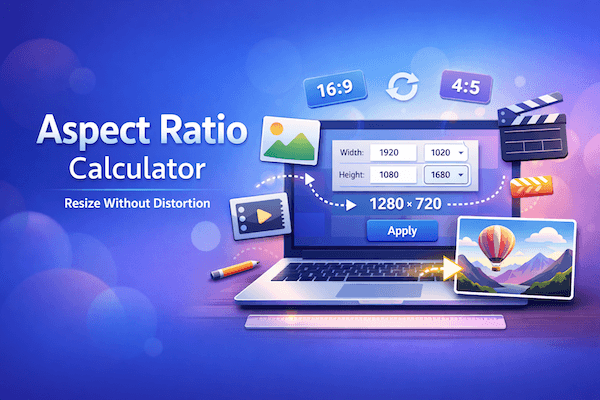
Resize Without Distortion
The Aspect Ratio Calculator helps you scale images, videos, and designs while preserving the original proportions.
Perfect Proportions
Maintain the correct aspect ratio when resizing width or height to avoid stretching or squashing.
Instant Calculation
Get instant visualizations as you type — no page reloads, no delays.
Works on Any Device
Fully responsive and optimized for desktop, tablet, and mobile screens.
Private & Secure
All calculations are mathematical and happen locally in your browser.
Common Aspect Ratios
Popular Aspect Ratios & Resolutions
Explore widely used aspect ratios across devices, media, and design to choose the right one for your needs.
16:9
HD / Full HD
YouTube, TVs, monitors, modern screens
21:9
Cinema Widescreen
Ultrawide monitors, cinematic video
4:3
Classic TV
Old TVs, presentations, standard monitors
9:16
Vertical
TikTok, Reels, Stories, Shorts
1:1
Square
Social media feeds, avatars, thumbnails
4:5
Portrait
Instagram portrait, posters
Learn More
Practical Usage
See the aspect ratio calculator in action and learn more about its usage.

Thu Mar 12 2026 ‒ 3 mins read
Aspect Ratio Calculator
An Aspect Ratio Calculator helps you quickly calculate proportional width and height for images, videos, and screens while maintaining the correct aspect ratio.

Muhammad Zeeshan
Comparison
How my Aspect Ratio Calculator Stands Out
See how my Aspect Ratio Calculator compares to other similar tools in the market.
| Features | Aspect Ratio | Andrew Hedges Aspect Ratio | CalculatorSoup Aspect Ratio |
|---|---|---|---|
No Login Required | Yes | Yes | Yes |
Visualisation on the go | Yes | Yes | No |
Responsive UI | Mobile & Desktop | Basic display | Basic display |
Works Offline | Calculations are mathematical | Yes | No |
Got Questions?
Answers to common questions about the aspect ratio calculator.
Enter your original width and height into the calculator. It will reduce the two numbers to their simplest ratio — for example, 1920×1080 becomes 16:9. You can then use that ratio to calculate any new width or height while maintaining the same proportions.
16:9 is the standard widescreen ratio used by most TVs, monitors, and video platforms. Common pixel dimensions include 1280×720 (720p), 1920×1080 (1080p), 2560×1440 (1440p), and 3840×2160 (4K). Enter any width into the calculator with a 16:9 ratio selected to get the correct height instantly.
Enter your original image dimensions to get the aspect ratio, then enter the new width or height you need. The calculator gives you the other dimension that preserves the original ratio exactly — use both values when resizing in your image editor to avoid stretching or squashing.
YouTube recommends 16:9 for videos and thumbnails. The ideal thumbnail size is 1280×720 pixels, which is exactly 16:9. Enter 16:9 into the calculator and type any width to get the correct height for a properly proportioned YouTube asset.
Yes, the Aspect Ratio Calculator is completely free with no hidden charges or limitations.
Yes, simply enter one dimension and the target ratio, and the calculator will automatically compute the missing value.
Yes, you can enter any custom ratio (such as 3:2, 4:5, 21:9, or even decimal ratios).
No, you can perform unlimited aspect ratio calculations with no restrictions.