
Google Drive Direct Link Generator
Google Drive Direct Download Link Generator
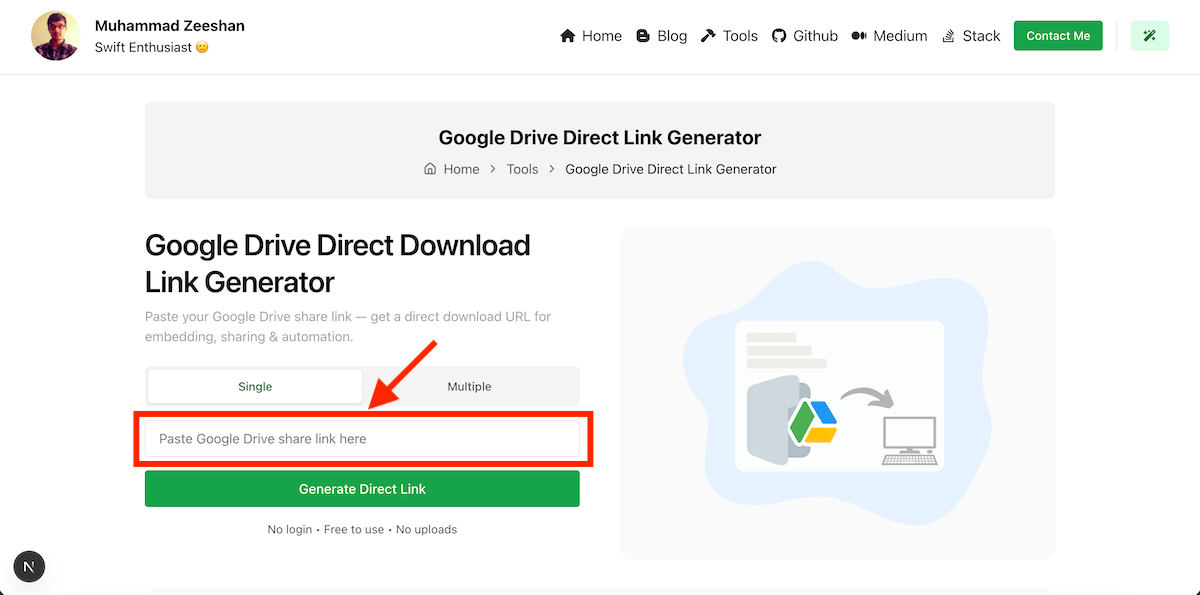
Paste your Google Drive share link — get a direct download URL for embedding, sharing & automation.
No login • Free to use • No uploads
Google Drive Shareable to Direct Download Links
Drive Direct offers several advantages that make it the best choice for generating direct download links from Google Drive.
Instant Direct Links
Generate direct download links instantly without any delays or waiting times.
No Login Required
Use Drive Direct without the need to log in or create an account. Hassle-free.
Free to Use
Drive Direct is completely free with no hidden charges or fees. No limits.
Secure and Private
Drive Direct works offline within the browser. No data upload required.
Steps
Getting Shareable Links
Follow these simple steps to get shareable links from Google Drive.
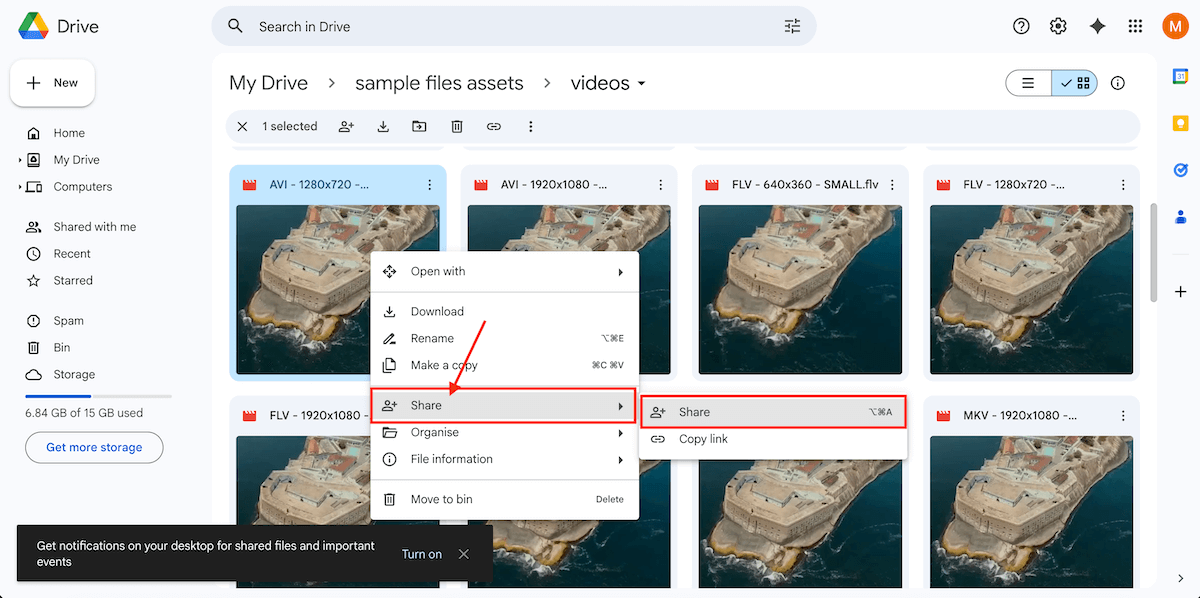
Goto Google Drive and right click the file that you want to share, then click on 'Share'
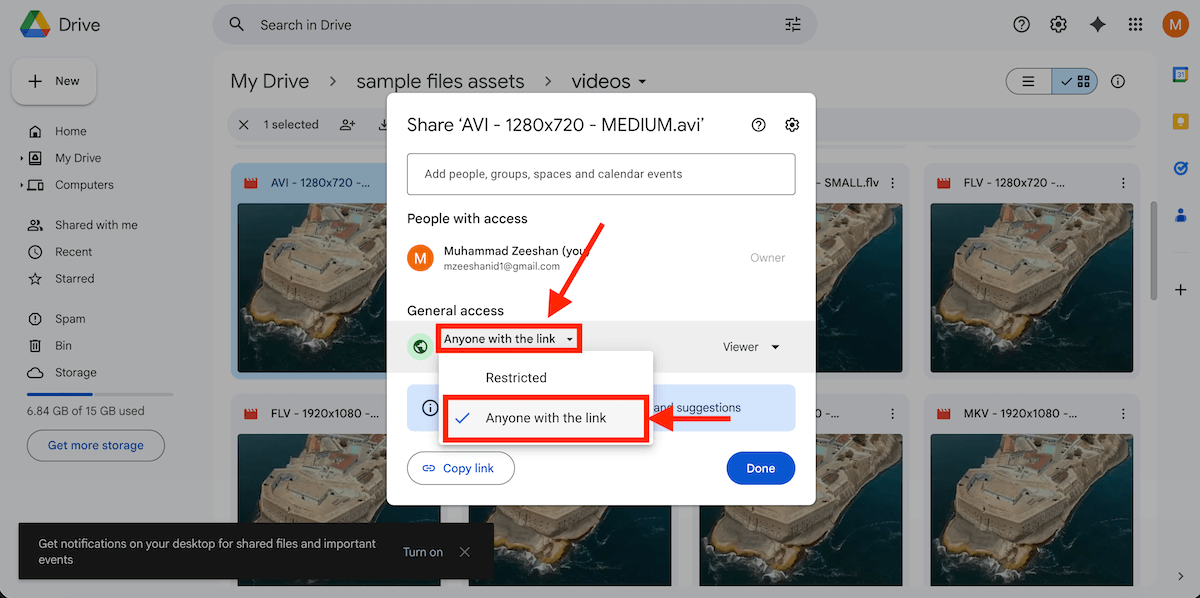
From the presented pop up, under the General access change the visibility to 'Anyone with the link'.
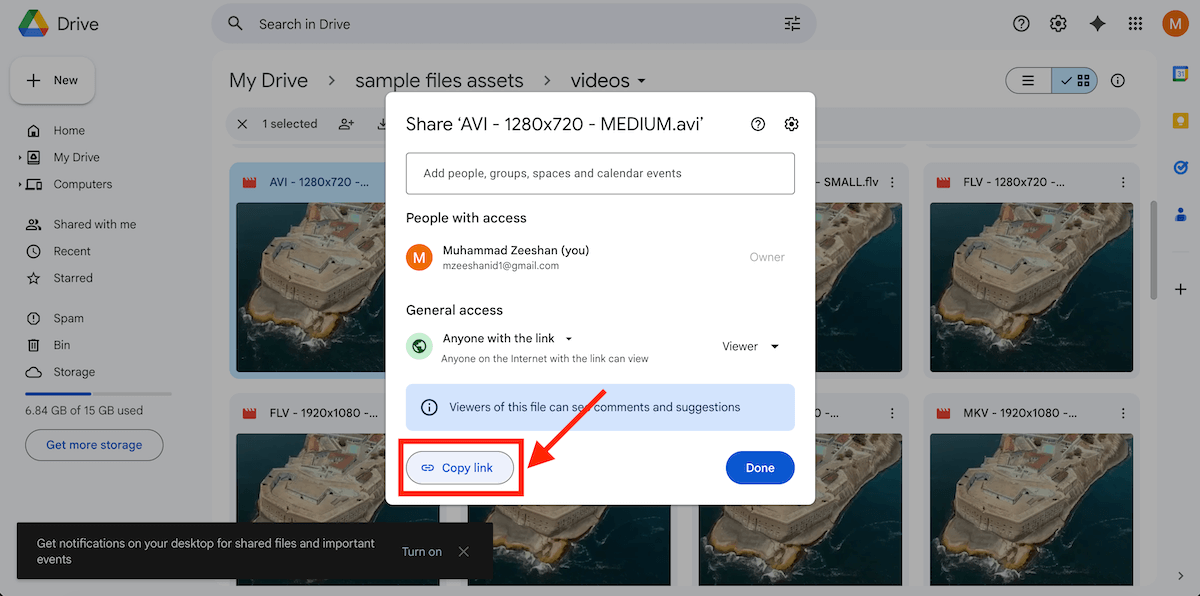
Click on 'Copy link'.
Paste the copied shareable link into the input box above and click on 'Generate Direct Link'.
Limitations
Drive Direct Limitations
Known limitations of using Drive Direct for generating direct download links from Google Drive.
File Visibility
The Google Drive file must be set to 'Anyone with the link'. Otherwise only allowed people can download the file.
File Size Limits
For larger files direct link may open a warning page that Google cannot scan this file for viruses. But can be downloaded after acknowledgement.
Sharing Restrictions
Extremely high traffic or large numbers of downloads on a single file may temporarily disable the download link.
Files on Google Drive
The direct link only work with uploaded files on Google Drive. It does not work for documents created with Google Docs.
Video Streaming
Streaming and inline viewing of video files via direct link may not be supported by all browsers. The file will be downloaded instead.
Usage
Demo Use Cases
Here are few use cases where you can use Google Drive Direct Download Link Generator tool.
API
DriveDirect API
Integrate DriveDirect functionality into your own applications using easy-to-use API.
Single Link Request
Use the curl below to test the request
Request
code
curl --location 'https://mzeeshan.me/api/drivedirect?shareableLink=https%3A%2F%2Fdrive.google.com%2Ffile%2Fd%2F1saOkqD7E3U3i5UzfJjsoiG4sL0Os66qO%2Fview%3Fusp%3Ddrive_link'
Output
json
{"success": true,"data": {"directLink": "https://drive.google.com/uc?export=download&id=1saOkqD7E3U3i5UzfJjsoiG4sL0Os66qO"}}
Multiple Links Request
Use the curl below to test the request
Request
code
curl --location 'https://mzeeshan.me/api/drivedirect' --header 'Content-Type: application/json' --data '{"shareableLinks": ["https://drive.google.com/file/d/1saOkqD7E3U3i5UzfJjsoiG4sL0Os66qO/view?usp=drive_link","https://drive.google.com/file/d/1saOkqD7E3U3i5UzfJjsoiG4sL0Os66qO/view?usp=drive_link"]}'
Output
json
{"success": true,"data": {"directLinks": ["https://drive.google.com/uc?export=download&id=1saOkqD7E3U3i5UzfJjsoiG4sL0Os66qO","https://drive.google.com/uc?export=download&id=1saOkqD7E3U3i5UzfJjsoiG4sL0Os66qO"]}}
Working
Curious How Drive Direct Works?
See the article below for more details.


Comparison
How Drive Direct Stands Out
See how Drive Direct compares to other similar tools in the market.
| Features | Drive Direct | GDocs2Direct | RaptorKit |
|---|---|---|---|
No Login Required | Yes | Yes | Yes |
Multiple Links Support | Yes | No | No |
API Access | Yes | No | No |
Responsive UI | Mobile & Desktop | Basic display | Basic display |
Secure & Private | No data stored | Yes | Yes |
Got Questions?
Answers to common questions about using the Google Drive Direct Link Generator.
Yes, Drive Direct is completely free to use with no hidden charges or fees.
No, Drive Direct does not require any login or account creation.
Yes, Drive Direct works offline within your browser, ensuring your data is not uploaded to any servers.
No, you can generate as many direct download links as you need without any restrictions.
Yes, Drive Direct supports generating multiple direct download links in one go. From the hero section select the 'Multiple' tab to generate links for multiple Google Drive URLs.
You can generate direct download links for any file type stored in Google Drive, including documents, images, videos, and more.
No, the direct download links generated by Drive Direct do not expire and can be used anytime.
Yes, there is a limitation based on Google Drive's own sharing policies. Generally, for larger files Google Drive opens a web page.
Yes, but not recommended. Basically it is not a replacement for a CDN. You can use it for simple use case such as demos, prototyping or temporary assets. The direct download links generated by Drive Direct can be used for downloading in websites, sharing via email, or using in automation workflows.