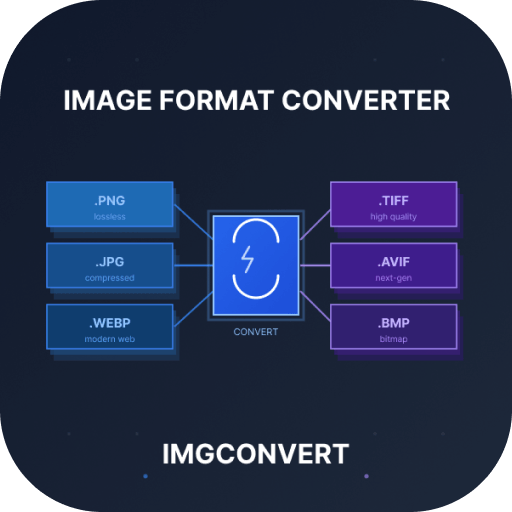
Image Format Converter
Browser Tool
Image Format Converter
Pick a source and target format, then convert images directly in your browser without uploading them to a server.
Click or Drag and drop images
You can select up to 20 images and convert them in one batch
No server upload. Conversion happens in the browser. Your image never leaves your device.
Use smaller output settings when the selected format supports it.
Resize images before conversion. The missing dimension is calculated from each image aspect ratio.
Supported
Choose a conversion path
Start from the cluster hub, then jump into the exact image conversion page you need.
Browser Support
Image format browser compatibility
All formats supported by this converter and their browser compatibility. Click any browser to see more details.
| Format | Since | Browser Support |
|---|---|---|
| WEBP | 2012 | |
| PNG | 1996 | |
| JPG | 1992 | |
| BMP | 1995 | |
| TIFF | 2019 | |
| GIF | 1995 | |
| AVIF | 2022 | |
| ICO | 1995 | |
| HEIC | 2016 |
About
What image conversion does
Image conversion changes a file from one format into another so it is easier to use in browsers, apps, email, design workflows, and publishing systems.
Format-specific compatibility
Some platforms still prefer PNG or JPG, while others benefit from WebP compression. Converting lets you fit the requirements of the destination system.
Smaller file sizes
Choosing the right format can make images lighter to load and easier to share without changing the actual content of the image.
Browser-first workflow
This tool family is designed for quick, local conversion without pushing images through a backend service.
Why Convert
Why image format conversion matters
Different formats solve different problems. A good converter helps you move between them quickly and safely.
Better publishing flexibility
Convert to the exact format your CMS, store listing, app workflow, or client handoff requires.
Privacy-friendly
Because the conversion runs in your browser, you do not need to upload private assets just to re-export them.
Cleaner workflow
Use one consistent interface for multiple conversion pages instead of hunting for separate utilities every time.
Features
Built for quick browser-side conversion
The cluster shares one reusable workflow, then adapts the output to the selected source and target format.
Switch formats from the hero
Use the source and target dropdowns to jump to another conversion page without leaving the tool family.
No server upload
Conversion happens locally in the browser so your image file stays on your device.
Preview before download
Inspect the original file and the converted output before saving the result.
Direct download
Download the converted file immediately after processing completes.
Fast local processing
The conversion runs on your device, so there is no upload queue or remote processing delay.
Comparison
Compared with generic file converters
This cluster focuses on quick browser-based image conversion with privacy and route-level search intent in mind.
| Feature | This tool | Convertio | Generic converters |
|---|---|---|---|
| SEO focus | Dedicated conversion pages for specific source/target pairs | Strong single-conversion landing pages, but built around server-upload workflows | Often one broad page covering many file types at once |
| Privacy signal | Browser-based, no upload positioning is part of the core message | Upload-first flow with cloud conversion and download | May rely on backend upload queues |
| Internal linking | Cluster root plus related conversion pages | Related conversion coverage, but less tailored to one site-wide conversion cluster narrative | Less focused route relationships |
| Best fit | People who want private in-browser conversion and conversion-specific reading sections | People who want a familiar hosted conversion service with broad format coverage | People who just need a quick file conversion without much context |
Learn More
Related Article
This placeholder article can be swapped for the dedicated image conversion guide later.


Common questions
These answers cover the cluster root. Each detailed conversion page also has its own targeted FAQ set.
No. The image is processed locally in your browser. The file is not uploaded to a backend during conversion.
Dedicated conversion pages are easier to search, easier to link internally, and easier to tailor for each format pair.
Yes. The hero dropdowns let you jump directly to another image conversion page in the same cluster.